Architecture
Model your system in native SysML.
Real model-based systems engineering — not a drawing pinned to a ticket. Block, internal-block, and parametric diagrams are views onto a single model that lives in the same database as your requirements, so every element traces to what it realizes and what verifies it.
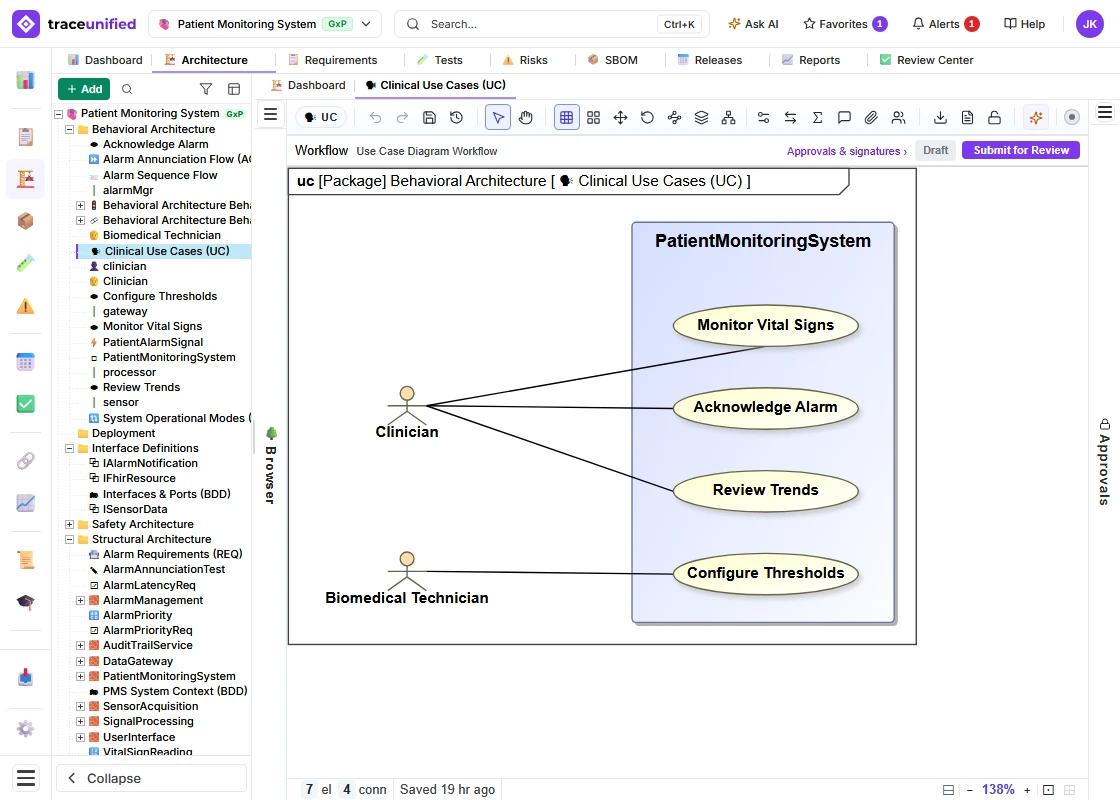
The architecture canvas — SysML diagrams as views onto one governed model, in the same database as the requirements they realize.
What it does
A model, not a picture.
The model carries real engineering meaning the rest of the system can reason about — because its elements are model constructs, not free-form shapes.
SysML diagram set
Block, internal-block, and parametric diagrams and the wider SysML set, drawn and arranged on a canvas and versioned like any other controlled record.
Elements & stereotypes
Blocks, parts, and typed elements — the building blocks of the system — carry the stereotypes that give a diagram real, machine-readable meaning.
Ports & interfaces
Ports and interfaces define how elements connect, so the model expresses genuine structure rather than boxes and lines.
Traced to requirements
Every element traces to the requirement it realizes and the test that verifies it. A design change surfaces against the specification it is meant to satisfy.
Trace on the canvas
Turn Trace on, and the diagram shows its thread.
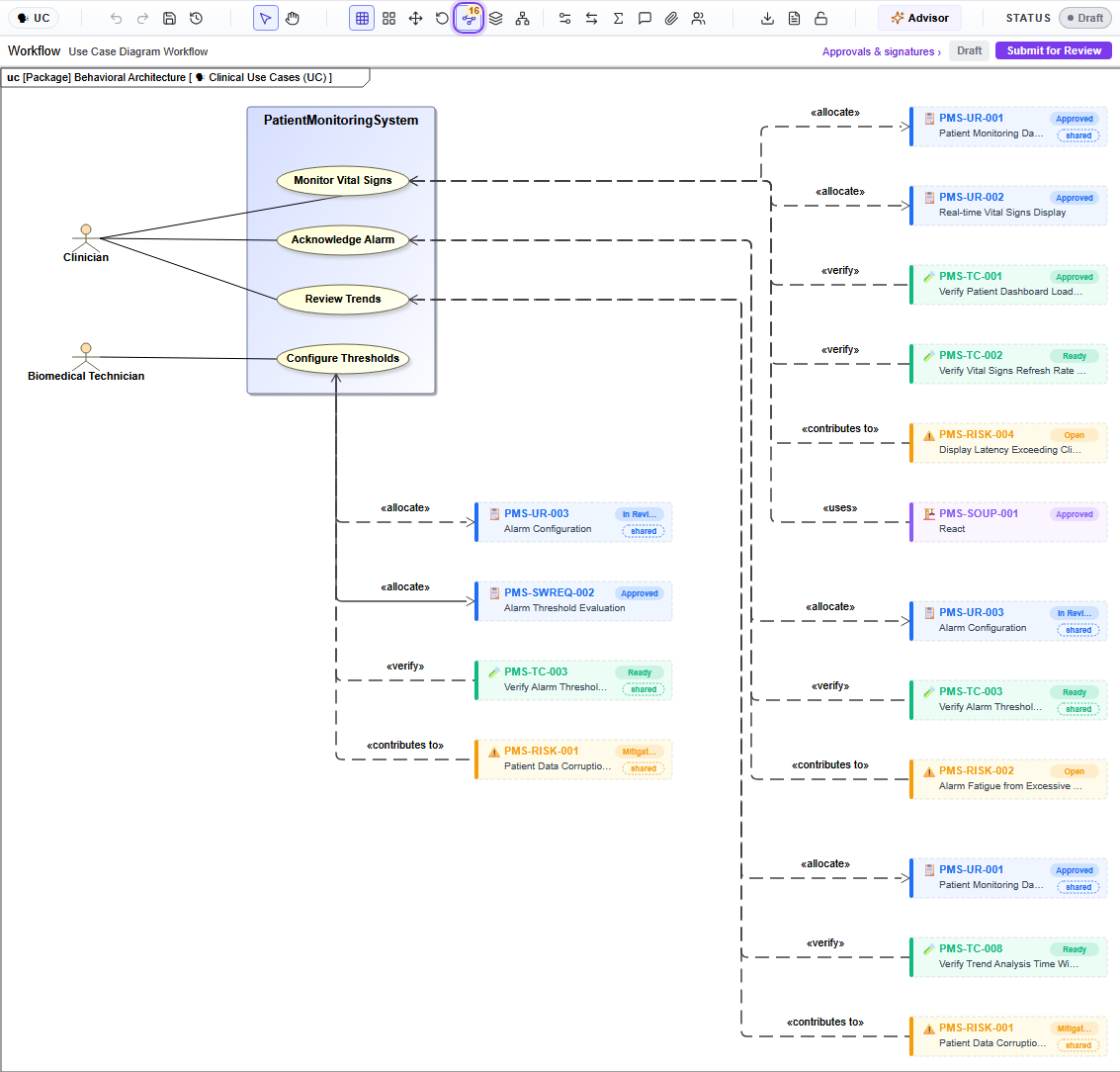
Every architecture diagram has a Trace button. Switch it on and each element’s live links are drawn beside the diagram — the requirements it is allocated to, the tests that verify it, the risks it contributes to, the software it uses. Switch it off and the diagram is exactly as you left it: tracing never moves or edits the model.
Clinical Use Cases, with Trace on
The Trace button is circled in the toolbar; its badge counts the links on this diagram — 16. Each use case draws its own, labelled with the relationship: «allocate» to a requirement (blue), «verify» from a test (green), «contributes to» a risk (amber), «uses» for SOUP (purple). Every linked item shows its ID, title and current status, read from the live record. A dashed outline marks it as traced rather than part of the diagram, and “shared” marks an item that more than one use case traces to — here, Alarm Configuration and the alarm-threshold test, traced from both Configure Thresholds and Acknowledge Alarm.
On the thread
Where the specification becomes a design.
Because the model lives with the requirements, the loop from spec to model to test closes inside one record instead of drifting across tools.
Model elements trace back to the requirements they realize, so coverage accounts for realization, not just verification.
The elements a test exercises are linked, so a design change flags what must be re-verified.
Architecture and requirements together drive the FMEA — failure modes are grounded in the real design.
Derive with AI
Derive architecture from your requirements.
The governed derivation engine proposes SysML model elements that realize a set of requirements — grounded, cited to the source, and yours to accept. It builds a real, connected model preview; nothing lands until you accept it.
One model, traced end to end.
Model your system in SysML in the same place your requirements, tests, and risks live — and keep the whole thread connected.