Reports
Live records, compiled into the documents you must produce.
Reports compile your live records into the documents auditors and submissions ask for — trace matrices, compliance documents, and your own templates. Build a template once, run it against current data, and export to Word, Excel, or PDF, with regulatory document signing when the output must be a controlled artifact.
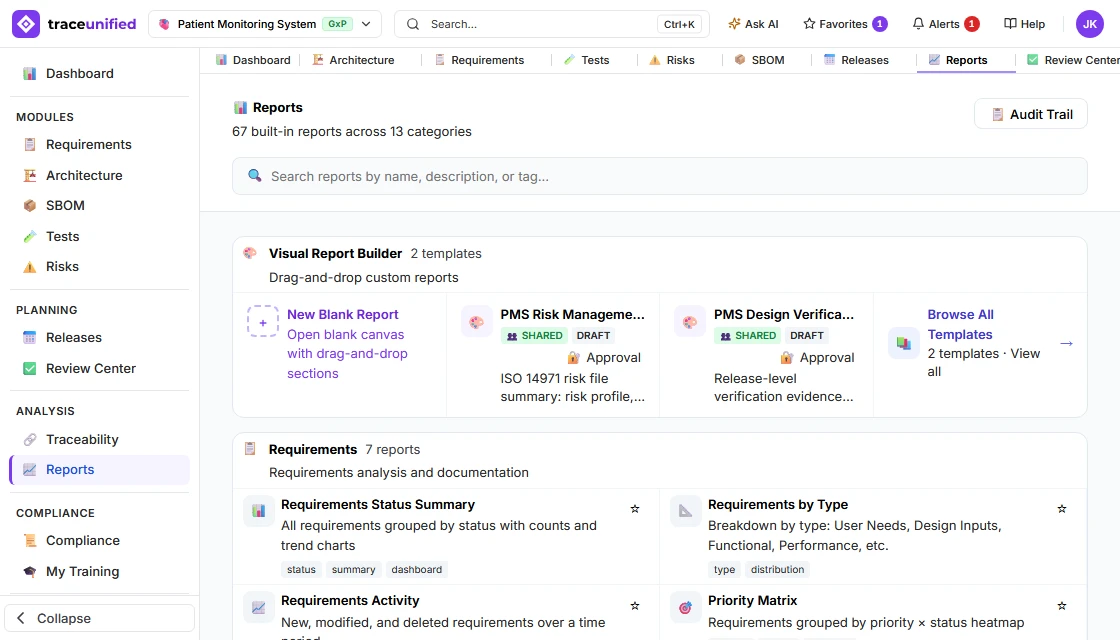
A report generated from live records — exported to Word, Excel, or PDF, and signed when the output must be a controlled artifact.
What it does
Documents that reflect the real system of record.
Hand-assembled documents drift from the data the moment they are copied. A generated report reflects what is true at the moment it is produced.
Templates & datasources
A template defines the shape of the output; datasources define what it draws from — for standard documents and your own custom ones alike.
Run on demand or scheduled
Produce a document when you need it, or on a schedule, so recurring reports are generated automatically rather than remembered manually.
Export anywhere
Take controlled records out as Word, Excel, or PDF — generated from the live, governed records with their states intact.
Signed, controlled output
When a report is the controlled artifact, regulatory document signing applies a Part 11 signature to the generated output for submission.
Visual Report Builder
Build the document your auditor asks for — by dragging it together.
The Visual Report Builder turns live project data into a controlled document without a line of code. Drag sections onto the canvas, point each one at the data it reads, and the page fills from the current records — then export it, or send it for approval and signature.
A real design-history document, assembled on a canvas
Every section on the left is a building block — headings and text, data tables and charts, requirements status, test results, risk matrix, trace matrix, design control, architecture diagrams, and the document furniture a regulated file needs: cover page, document control, table of contents, revision history, signature and approval blocks. This Design Verification Summary is the one the demo project ships with.
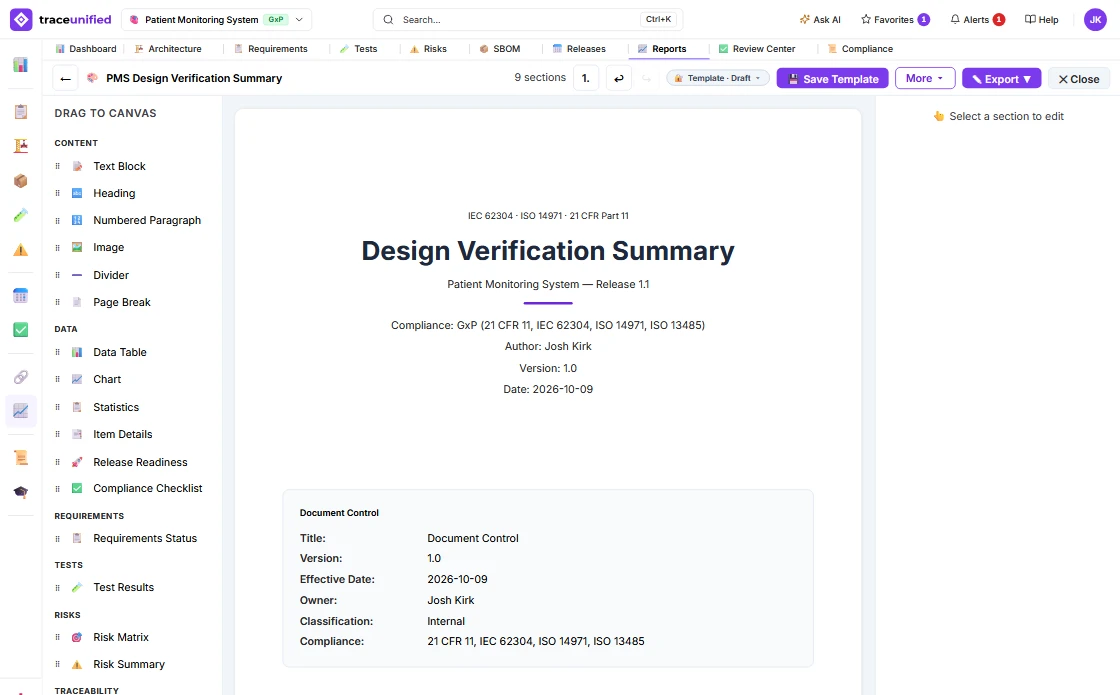
Every section reads live data, and you decide what it reads
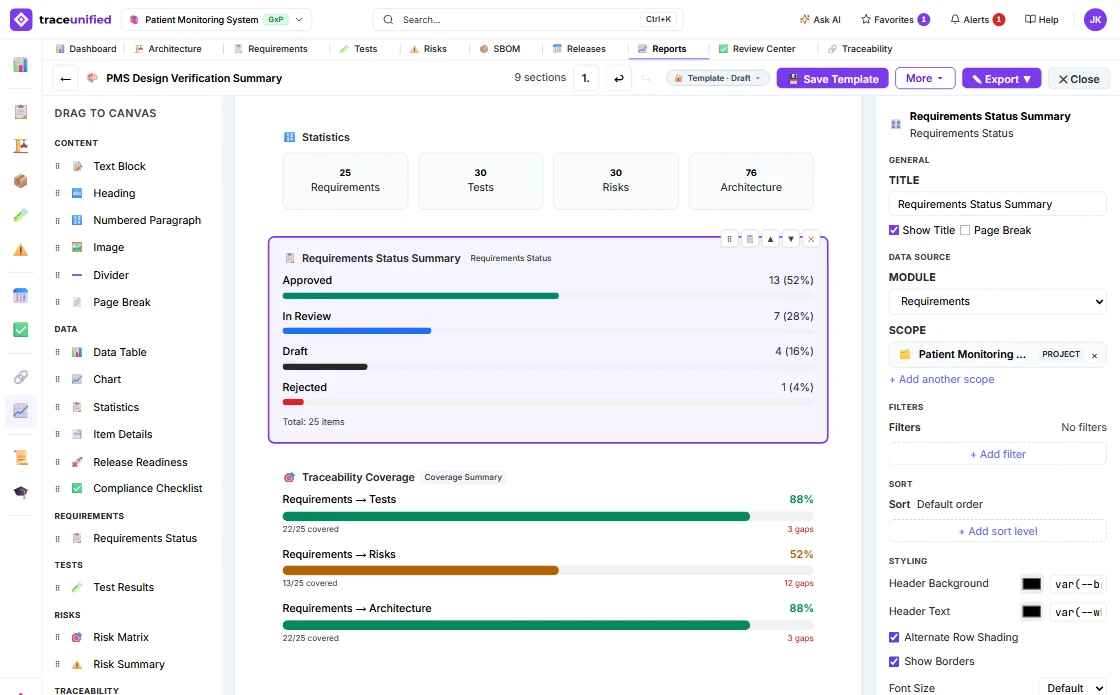
Select a section and its settings open beside the canvas: the module it draws from, the scope it reads, filters, sort order and styling. The figures on the canvas are the real ones: here 25 requirements, 13 approved, and trace coverage of 88% to tests, 52% to risks and 88% to architecture, with the gaps counted.
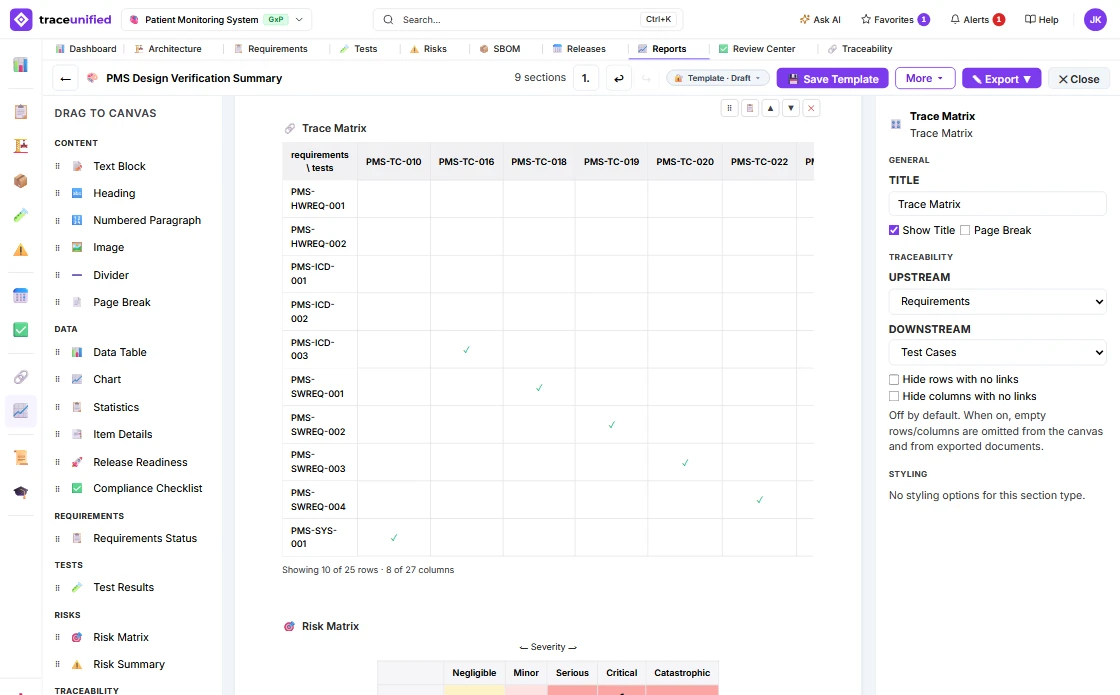
The trace matrix, live from the links themselves
A Trace Matrix section crosses any upstream set with any downstream one — here requirements against test cases — and ticks every cell a trace link connects. On the canvas it previews the rows and columns that carry links first and says how much of the matrix it is showing; the exported document carries the whole matrix, split into labelled column blocks when it is wide. Hide the rows or columns with no links when the reader only needs the covered thread.
A risk file that reads the risk register as it stands
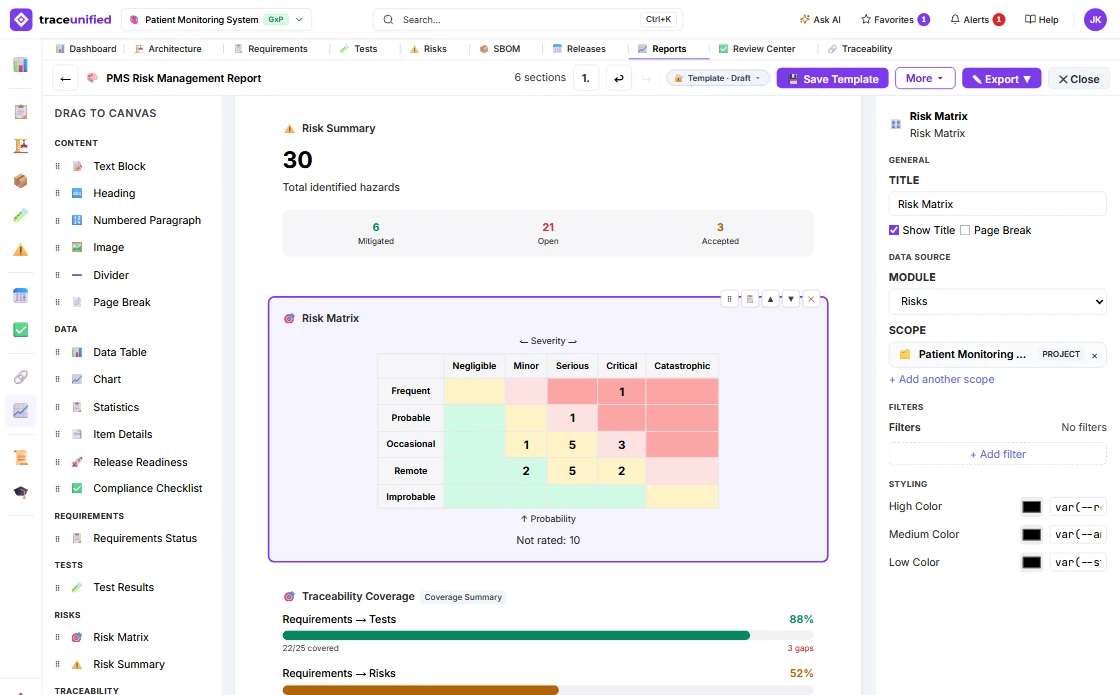
The ISO 14971 Risk Management Report the demo project ships with: the risk summary, then the risk matrix on the project’s own severity and probability scales, each cell counting the risks in it and tinted by acceptability. Risks not yet rated are counted, not hidden, and coverage follows, ready for the approval block and signature.
Built-in reports too — exported the way the reader needs them
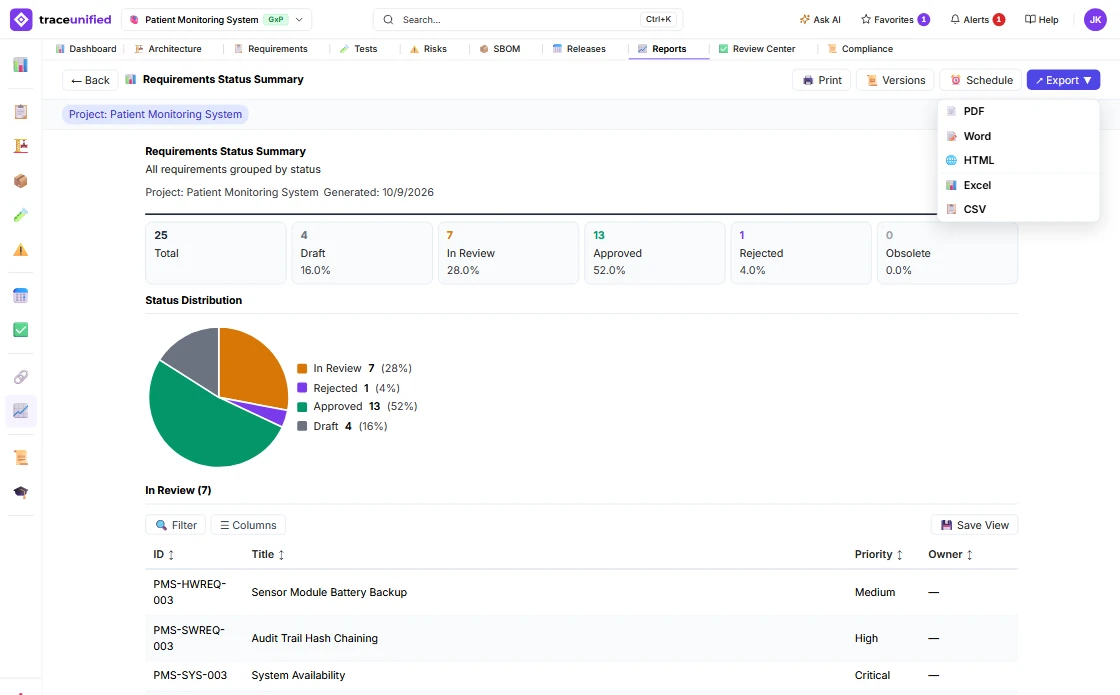
Alongside your own templates, 67 built-in reports cover requirements, tests, risk, traceability and compliance. Each one runs against the current records and exports to PDF, Word, HTML, Excel or CSV — printed, versioned, or scheduled to run on its own.
On the thread
The bridge from live data to formal evidence.
Because output is generated from the live records, an exported submission package reflects the real, current system of record — not a hand-assembled copy that has already fallen out of date.
Regulatory document signing puts a Part 11 signature on the controlled output.
Produce the document, prove the data.
Build a template once and generate submission-ready documents from live records — signed when they need to be controlled artifacts.